
Build management for mobile teams.
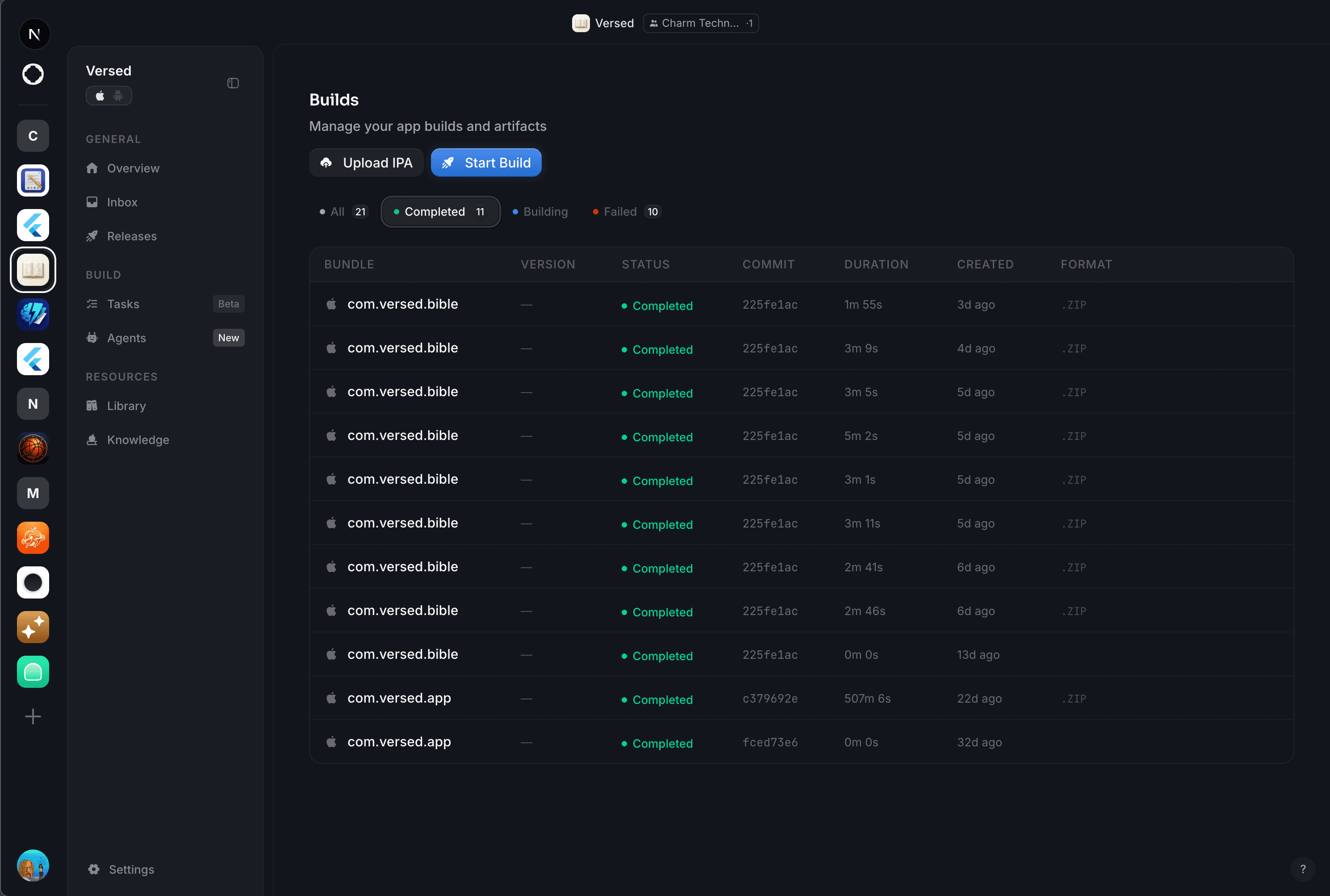
Upload IPA and APK files, track versions, and connect builds to your screenshot and compliance workflows.
Everything you need. Nothing you don't.
Binary upload
Drag-and-drop IPA and APK files. Stora handles parsing, validation, and storage so you can focus on building.
Version tracking
Organize builds by version, build number, and date. See your complete release history at a glance.
Binary analysis
Automatic IPA and APK scanning extracts bundle IDs, permissions, frameworks, and signing information.
Workflow integration
Connect builds to your screenshot and compliance workflows. Run captures and scans against specific versions.
From local build to release candidate, tracked.
- 01
Upload the binary
Drag-and-drop from Xcode Organizer, Android Studio, or Fastlane. CI integrations available for GitHub Actions and Bitrise.
- 02
Automatic parsing
Stora extracts bundle ID, version, build number, frameworks, entitlements, code signature info, and runtime targets on upload.
- 03
Link to a release
Attach the binary to a release object. Compliance, screenshots, and QA all run against that specific binary — not against whatever is in main.
- 04
Promote or roll back
Promote to TestFlight, App Store, or Play tracks. If an issue surfaces, revert to any prior binary in one click — Stora keeps them all.
Who benefits from binary-first release management.
Frequently asked.
- Can Stora sign my binaries?
- Optionally. Upload your signing certificates once and Stora can sign unsigned uploads (iOS distribution certs, Android upload keys). Signing happens inside an encrypted per-project enclave; certificates never leave that enclave.
- What about App Bundle (AAB) splits?
- Stora parses AAB modules, asset packs, and dynamic feature modules separately and shows the installed size per device class. You see exactly what your users download.
- Does this replace TestFlight?
- No — TestFlight is the distribution target. Stora is the upstream: where binaries live before they hit TestFlight, where their metadata is tracked, and where you decide whether to promote them.
- Can I manually drop in an old binary?
- Yes. Any binary you ever built, even from years ago, can be uploaded and tracked retroactively. Useful for compliance audits that require proof of prior distribution.
Ready to ship?
Connect your GitHub repo and let agents handle the rest. Your next release, out the door in minutes.